
Every reader knows the feeling: you close the last page of a great book, feel satisfied, and then suddenly stuck. What should you read next? Scroll endlessly? Search for inspirations? Re-read descriptions? Lose motivation altogether?
This is exactly where Biblophile’s reading queue feature becomes invaluable. By queuing books before you finish your current read, you remove friction, maintain momentum, and turn reading into a seamless habit rather than a decision-making chore.
What Is a Reading Queue in Biblophile?
A reading queue in Biblophile is a planned list of books lined up to be read next, in a specific order. Something like marking the books to be read based on priority. Unlike a generic “want to read” list, a queue is intentional. It reflects what you actually plan to read soon.
Ironically, having too many options often leads to reading less.
Without a queue, many readers experience:
- Decision fatigue after finishing a book
- Loosing reading time to browsing.
- Reading slumps caused by overwhelm
Benefits of Queuing Books in Biblophile:
- Biblophile’s Queue Feature removes uncertainty by helping you decide in advance. When your current book ends, your next read is already waiting: no hesitation, no browsing spiral.
- Instead of haphazardly making the decision of which book to read after the end of your current read, you can make that decision at once, calmly and thoughtfully.
- When the next book is queued, the transition from one read to the next feels natural and exciting rather than disruptive, reducing reading slumps.
How to Add Books to Your Reading Queue in Biblophile?
- Select a book that you want to add to your queue. (You can select this book either from the discover page or from the “to be read” list in your profile.)
- In the Reading Info, select the “Edit” option.
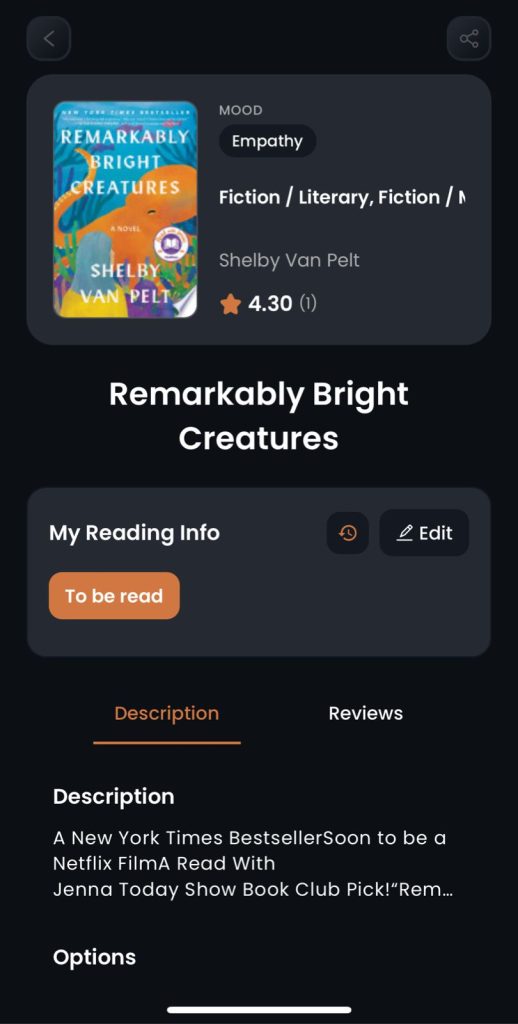
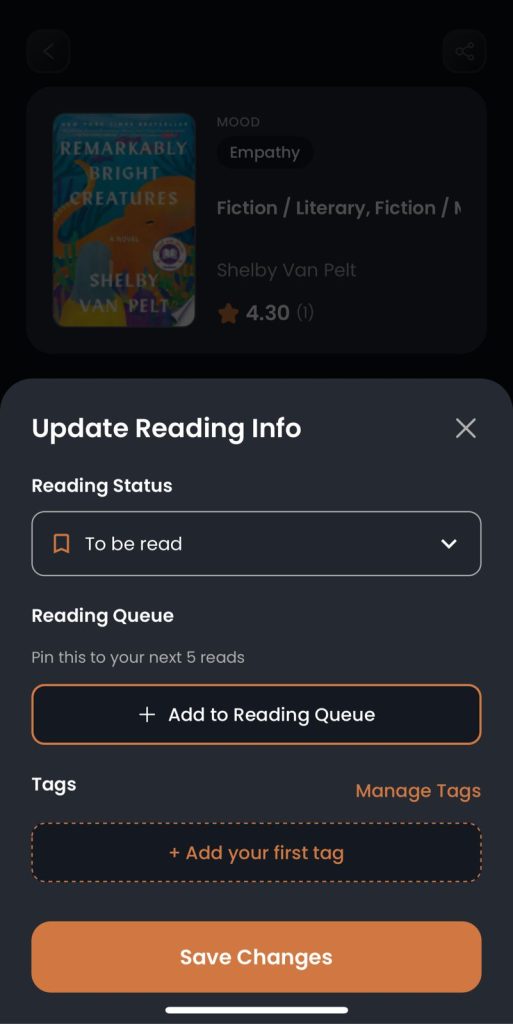
3. Click on the “Add to Reading Queue” option.
4. You can find your reading queue in the “To be read” section of your library in your profile.

5. You can add a maximum of five books to your reading queue.
NOTE: you can activate the “Add to Reading Queue” option ONLY when your book’s status is set to “To Be Read”
How to Edit the reading Queue?
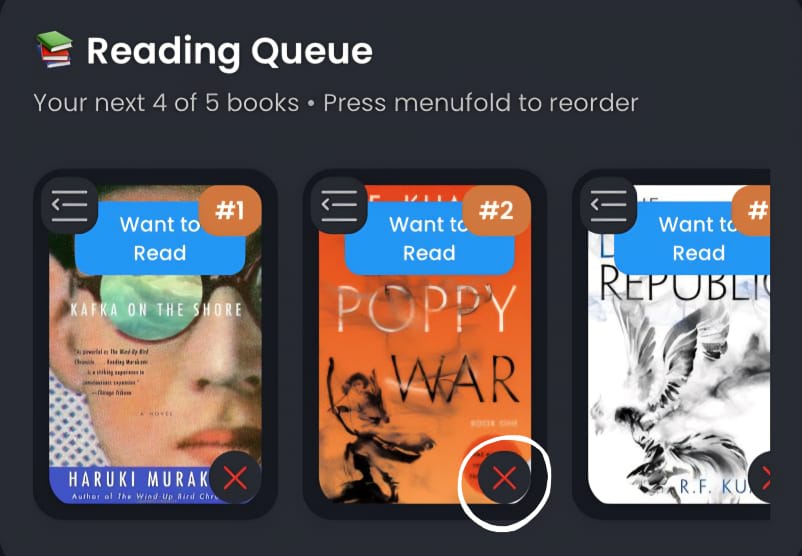
- Find your reading queue in the “To be read” section of your library in your profile.

2. You can scroll left/right to access all five of the books in the queue
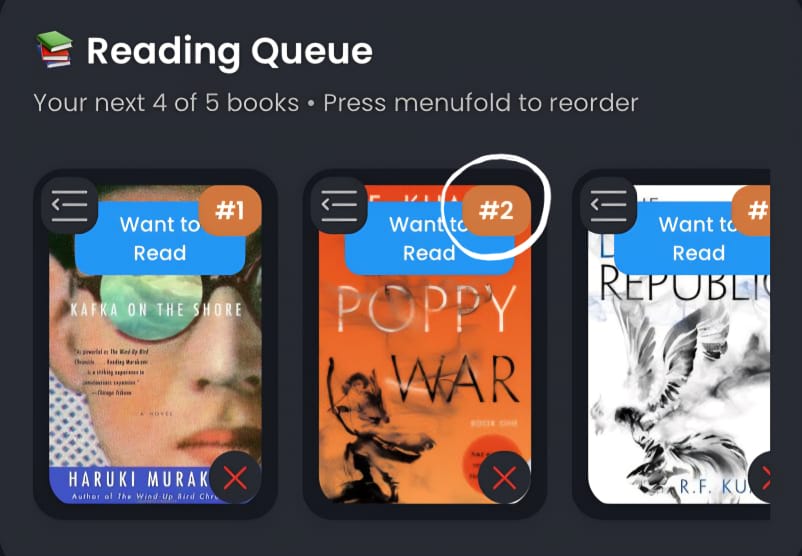
3. On the top right corner of each book, you can find the position in which each of the book is placed in the queue.
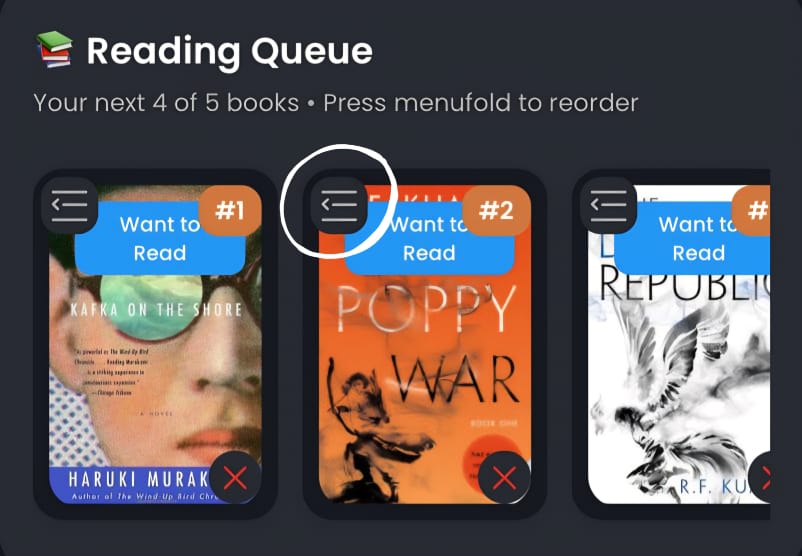
4. On the top left corner, you can find the ‘<☰’ symbol which you can use to drag and change the position of the books in the queue.
5. On the bottom right corner, you can find the ‘X’ symbol, which you can click to remove a book from the queue.
Developer’s note:
“From one book head to another, keep your reading queue flexible. Revisit and refresh it as and when required. Your queue should evolve with your mood and life, and not pressure you.”
FAQs About Biblophile’s Reading Queue:
Q1. How is a queue different from a reading list?
A queue helps you take action. A reading list is usually generic, long-term and unsorted.
Q2. Can I reorder my queue anytime?
Yes. Biblophile makes it easy to rearrange based on changing priorities.
Q3. Does queuing books reduce spontaneity?
Not at all. You can always revisit your queue and update it based on your mood and requirement. Queuing books simply removes friction.
Q4. Can I queue series books in order?
Absolutely. Biblophile helps you maintain proper reading order effortlessly.
Q5. Is the queue useful for busy readers?
Totally. It saves time and mental energy, making reading easier to sustain.
Q6. Why am I not seeing the “Add to Reading Queue” option?
Make sure to keep the reading status as “To be Read” in order to activate the “Add to Reading Queue” option.
Conclusion: Read Smarter, Not Harder
Biblophile book queuing system transforms reading from a series of decision-making gymnastics into a smooth, intentional journey. It helps you:
- Stay consistent
- Avoid slumps
- Enjoy every transition between books
If you want reading to feel effortless, rewarding, and perfectly paced, your next book should always be waiting in your Biblophile queue.
Leave a Reply